44a
Muster für die Anleitung · App nach deinen Screenshots vom 26.10. · noch nicht eingebaut
probier's aus
Die App in deiner Hand
{{ jumpHint }}
11:50LTE ▮ 74
ready when you are
Your Whisk

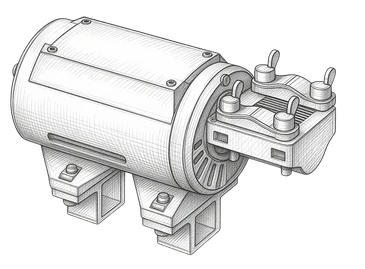
My Whisk ✎
Online · {{ turnType }}
shared with me
Nothing shared with you yet. Give the owner your WHISK ID from Profile; the device appears here by itself.
My Whisk ✎Online · {{ turnType }}
single turn{{ single }} / {{ maxSingle }}
advancedRun limit
{{ limitTitle }}{{ limitValue }}
Turn interval{{ intervalValue }}
Turn speed{{ speedValue }} / {{ maxAdv }}
Turn type
Positions · rotate, then set
←
→
Set hit
Set rest
Hit direction
your limits
Max. single speed{{ maxSingle }}
Max. advanced speed{{ maxAdv }}
Scale 0–500. Caps every control, also for shared users.
Shared users can view settings but cannot change turn type, positions or direction. Control and STOP remain available.
Firmware v0.0.25
across any distance
Share device
You play just once? Send a 24-hour guest link.You play more often? Share with their WHISK ID.
WHISK user ID of the other person
Share
The ID is in the other person's profile. Sharing grants control access until you remove it.
shared with
Not shared with anyone yet.
just once
For someone without a WHISK account. The link allows control for 24 hours, then it expires.
Create guest link for 24 hours
No active guest link.
Profile
Your WHISK user ID
123Copy
Give this ID to the person who wants to share their device with you.
Email address{{ email }}
Share it –
I'll do the rest.
I'll do the rest.
Whisk is installed
Open WHISK from the home screen icon. A run can continue when you close the app or your phone is offline, for up to 60 minutes. WHISK stops if its connection to the server is lost.
Run notifications
For advanced sessions: get a running notice and tap it to reopen controls with STOP. Available in supported browsers and the home screen app.
Delivery may be delayed or blocked. Dismissing a notice does not stop WHISK. Notifications are not a live check of the motor.
Enable run notifications
Safety instructions
Pinch, eye and injury prevention
Contact support on Telegram›
Sign out
Delete account
need a hand?
Help
▶
YouTube video: Plug in, connect Wi-Fi, set up the app and the first settings.
➤
›
Write to support
Telegram · @WildAsWhisk_Support
Stuck? Just ask.
I don't bite. Much.
I don't bite. Much.
Buy WHISK
Opens the WildAsWhisk Etsy shop
Privacy▼
{{ info.area }}
{{ info.title }}
{{ info.text }}